
Branding & setup
Platform → Setup at /platform/setup is a 3-step wizard that controls
how your salon, studio, or spa presents on the storefront and how online
bookings behave.
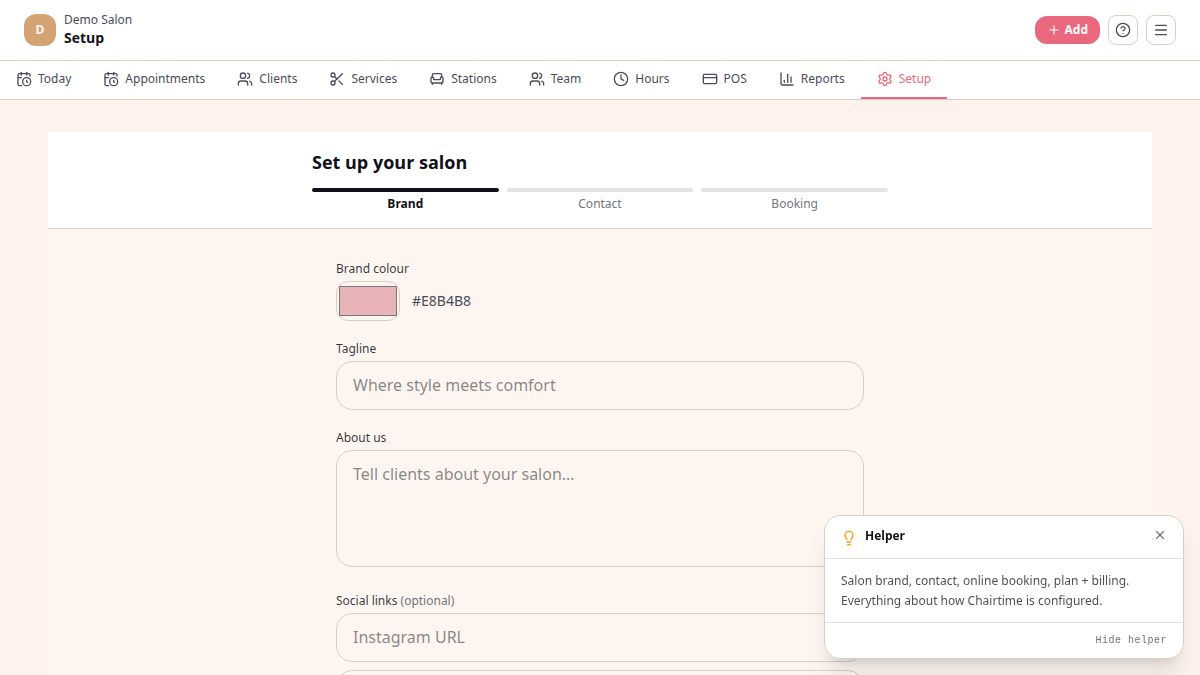
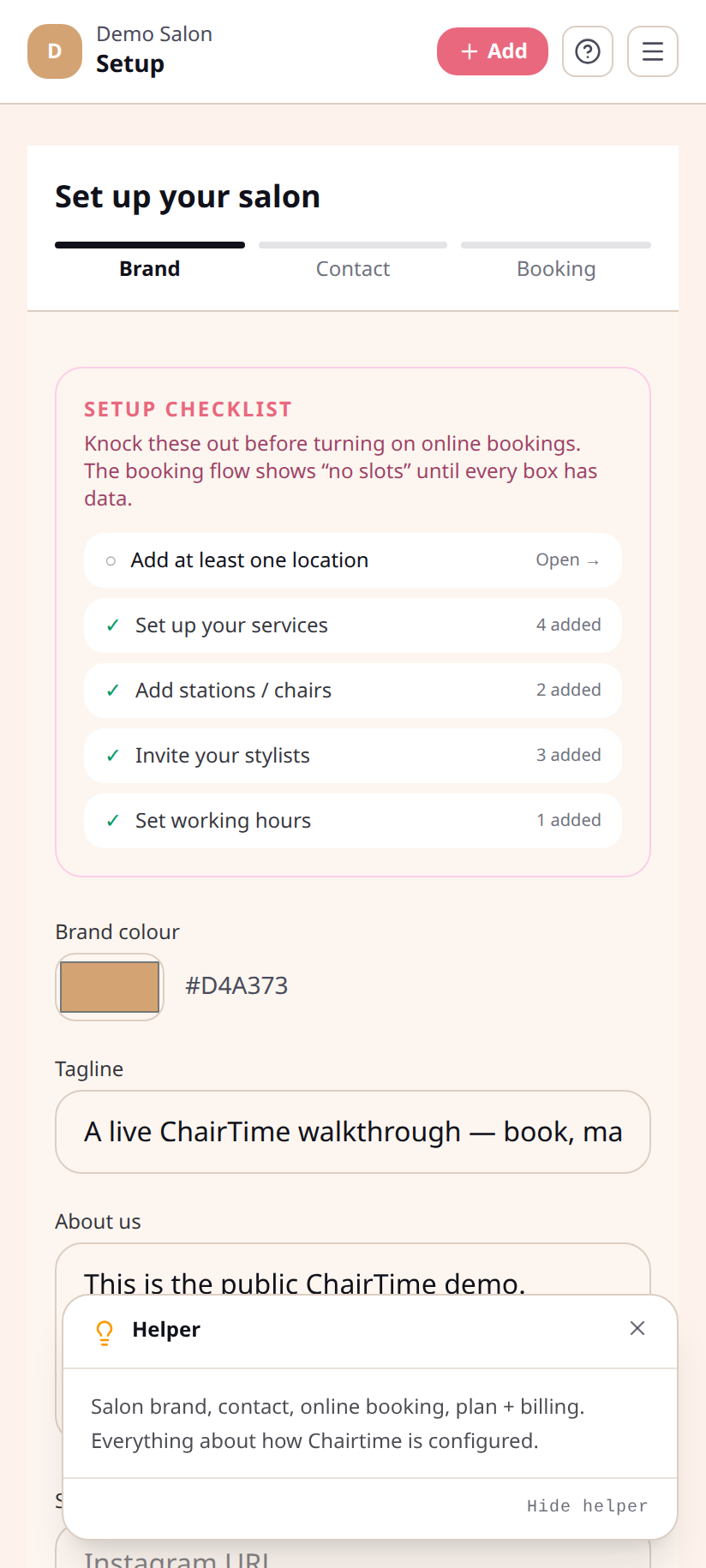
Step 1 — Brand
Section titled “Step 1 — Brand”The fields you set here drive the look of your public storefront:
- Brand colour — accent colour on buttons, links, and headings
- Tagline — one short line under your name on the storefront
- About us — a few sentences of context
- Social links — Instagram, Facebook, TikTok (optional)
Step 2 — Contact
Section titled “Step 2 — Contact”How clients reach you outside the platform:
- Phone number
- WhatsApp number (drives the WhatsApp deep-links on client cards)
- Business email
- Address — shown on your storefront
Step 3 — Booking
Section titled “Step 3 — Booking”The rules that govern online bookings:
- Online booking toggle — turn the public booking flow on or off
- Min advance (hours) — how soon before a slot a client may book
- Max advance (days) — how far ahead they may book
- Cancellation notice (hours) — how late a client may cancel without penalty
- Deposit policy — None / All online bookings / New clients only / After a no-show. When not None, set a percentage or fixed-rand deposit.
What’s not in Setup yet
Section titled “What’s not in Setup yet”- Logo upload — coming. Today, the storefront uses the brand colour as a visual anchor.
- Cover image — also coming.
- VAT settings and bank details — VAT is configured tenant-wide at the platform level; ask support if you need to change yours.
What clients see
Section titled “What clients see”Open yoursalon.chairtime.co.za in a private window. That is your public
storefront, branded with your colour, tagline, and address.